The world of AI is moving very fast in 2026. Businesses are using more and more smart computer programs called AI agents. These agents can do many tasks on their own, making work easier and quicker. In fact, experts predict the global AI agents market will grow a lot, reaching $12.06 billion in 2026 alone, according to one AI Agents Market Report 2026.
But here’s the problem: when you have numerous AI agents working at once, it can be hard to keep track. Think of it like trying to watch many different TV shows on different screens all at the same time. You get too much information from too many places. This makes it tough to see what your AI agents are doing, if they are working well, or if something is going wrong. It’s like having many workers but no boss to see what everyone is up to.
This is where an AI agent dashboard comes in. An AI agent dashboard is like a special control panel that helps you see everything your AI agents are doing in one clear place. It brings together all the important information so you don’t get lost in fragmented sources or information overload. It gives you a clear picture of how your AI agents are working.
This guide is for anyone who wants to understand and use these powerful tools better.

If you are an investor looking for smart choices, an executive leading a company, a researcher building new AI, or an operator making sure things run smoothly, this guide is for you. We will give you simple, clear information to help you pick and use the best AI agent dashboards and management platforms. If you’re eager to stay on top of all the new developments, make sure to get The AI Newsletter Worth Reading for daily updates.
We will start by explaining what an AI agent dashboard is and what it does. Then, we will look at how you can use one in your work and what to think about when choosing one. We will also talk about how they are built, how to make sure they are used fairly and safely, and a simple plan for starting to use one. Finally, we’ll show you how to know if your AI agent dashboard is truly helping you. Staying informed on these topics is key, as the landscape of AI Trends 2026: The Crucial Insights for Leaders and Investors shows.
What is an ‘AI agent dashboard’? Core definitions and component breakdown
An AI agent dashboard is a special window that gives you a clear look at all your smart AI programs, known as AI agents. Think of it like the control panel for a spaceship, but for your AI helpers. It collects information from many different AI agents and shows it to you in one easy-to-understand place. This helps you know what each agent is doing, how well it’s working, and if anything needs your attention.
It’s important to know that an AI agent dashboard is different from other tools you might have heard of. For example, traditional machine learning (ML) dashboards might just show you if a single AI model is making good predictions. MLOps dashboards help teams build and run AI models. But an AI agent dashboard is made specifically for AI agents. These agents can do many tasks on their own, make decisions, and even work with other agents. So, an AI agent dashboard focuses on these complex actions, not just simple model performance. It helps you see the bigger picture of how your numerous AI programs are interacting and performing. Some dashboards even help with tracking errors in these agents, classifying what went wrong so it can be fixed faster, as outlined in one guide on how to Build an AI Agent Orchestration Dashboard 2026.
What Makes Up an AI Agent Dashboard?
An AI agent dashboard has several key parts that work together to give you a full view:
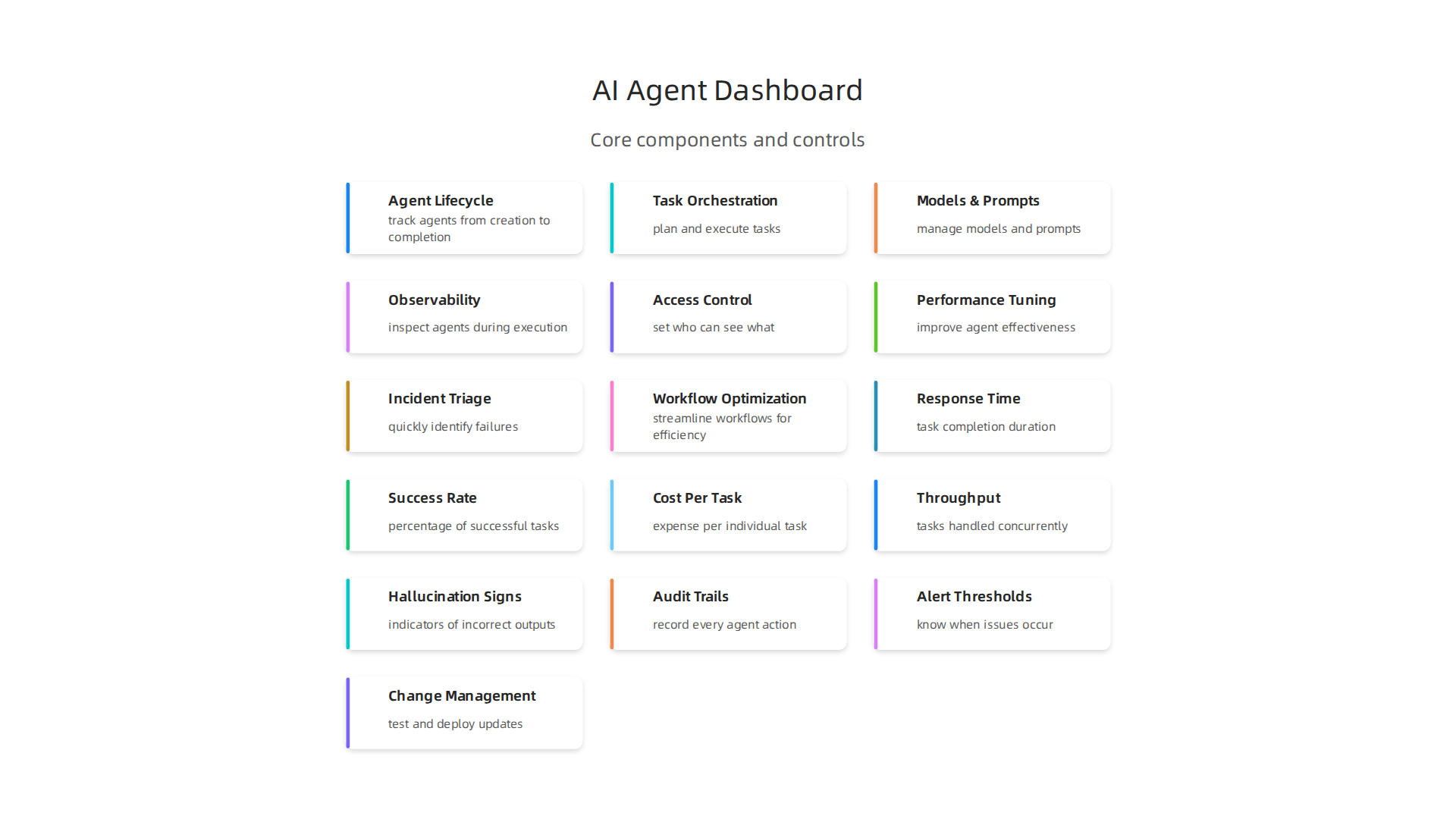
- Agent Lifecycle View: This shows you where each AI agent is in its "life." Did you just start it? Is it working right now? Did it finish its job? This part helps you track agents from when they are created until they are done.
- Task Orchestration View: AI agents often work together to finish bigger tasks. This part of the dashboard helps you see how these tasks are planned and carried out. It shows which agent is doing what and how they pass work between each other. This is especially helpful for complex workflows where numerous AI agents are involved.
- Model & Prompt Management: Many AI agents use special AI models and "prompts" (instructions) to do their work. This dashboard feature lets you see which models and prompts your agents are using. You can also track if those models and prompts are working well or if they need to be changed or improved.
- Observability: This is a word for being able to see inside the AI agents as they work. It lets you watch their actions, look at their "thoughts" or decisions, and find out if there are any problems. It’s like having X-ray vision for your AI, helping you understand their behavior and spot issues. Research even points to the importance of agent analytics dashboards for monitoring diverse statistics about agents, as discussed in a paper on agentops: enabling observability of llm agents.
- User Roles and Access: Different people in a company need to see different things. This part allows you to set who can see what. For example, a manager might need a quick overview, while an engineer might need to see all the tiny details.
Where Does an AI Agent Dashboard Fit?
An AI agent dashboard doesn’t work alone. It sits among your company’s tech tools, connecting to many other systems.
- Connecting with other tools: It often links up with messaging programs like Slack or Teams, so you can get alerts about your agents.
- Orchestration Engines: These are like the conductors of an orchestra, telling each AI agent what to do and when. The dashboard connects to these engines to show you the overall plan and execution.
- Model Endpoints: These are where your AI models "live" and offer their services. The dashboard gets information directly from these endpoints to report on how well the models are performing for your agents.
- Data Systems: It also taps into your data storage to understand what information your agents are using and creating. This helps you see the full flow of work and information.
By bringing all this together, an AI agent dashboard helps leaders and teams make smarter decisions and better manage their AI efforts. If you’re looking to understand more about the systems that power AI, learning about AI platform taxonomy can be a helpful next step.
An AI agent dashboard isn’t just a fancy tool; it’s a vital one for many different people in the world of AI. It helps leaders and teams make better choices by giving them a clear picture of how their AI agents are working. Let’s look at who benefits the most and why.
For Investors, Founders, and Leaders
If you’re an investor, a company founder, or a leader, an AI agent dashboard helps you see the big picture.

- Market Monitoring: You can keep an eye on how well AI agents are doing in different areas. This helps you understand where the market is going and what kinds of AI tools are becoming popular.
- Competitive Intelligence: By looking at data from various AI systems, you can see what your competitors might be doing. This gives you an edge in the fast-changing AI world.
- Deal Diligence Signals: When thinking about investing in an AI company, the dashboard can show you how their AI agents truly perform. This gives you real numbers to help you decide if it’s a good investment. For example, knowing the return on investment (ROI) for deploying AI agents is key, with some studies showing they can reach ROI in about eight months for companies already using them in production Agentic AI Study: Preparation Beats Speed for ROI. This kind of information helps leaders make smart financial decisions and evaluate promising AI companies in 2026.
For Operators and Product Teams
People who build and manage AI products every day, like operators and product managers, find the AI agent dashboard super helpful.
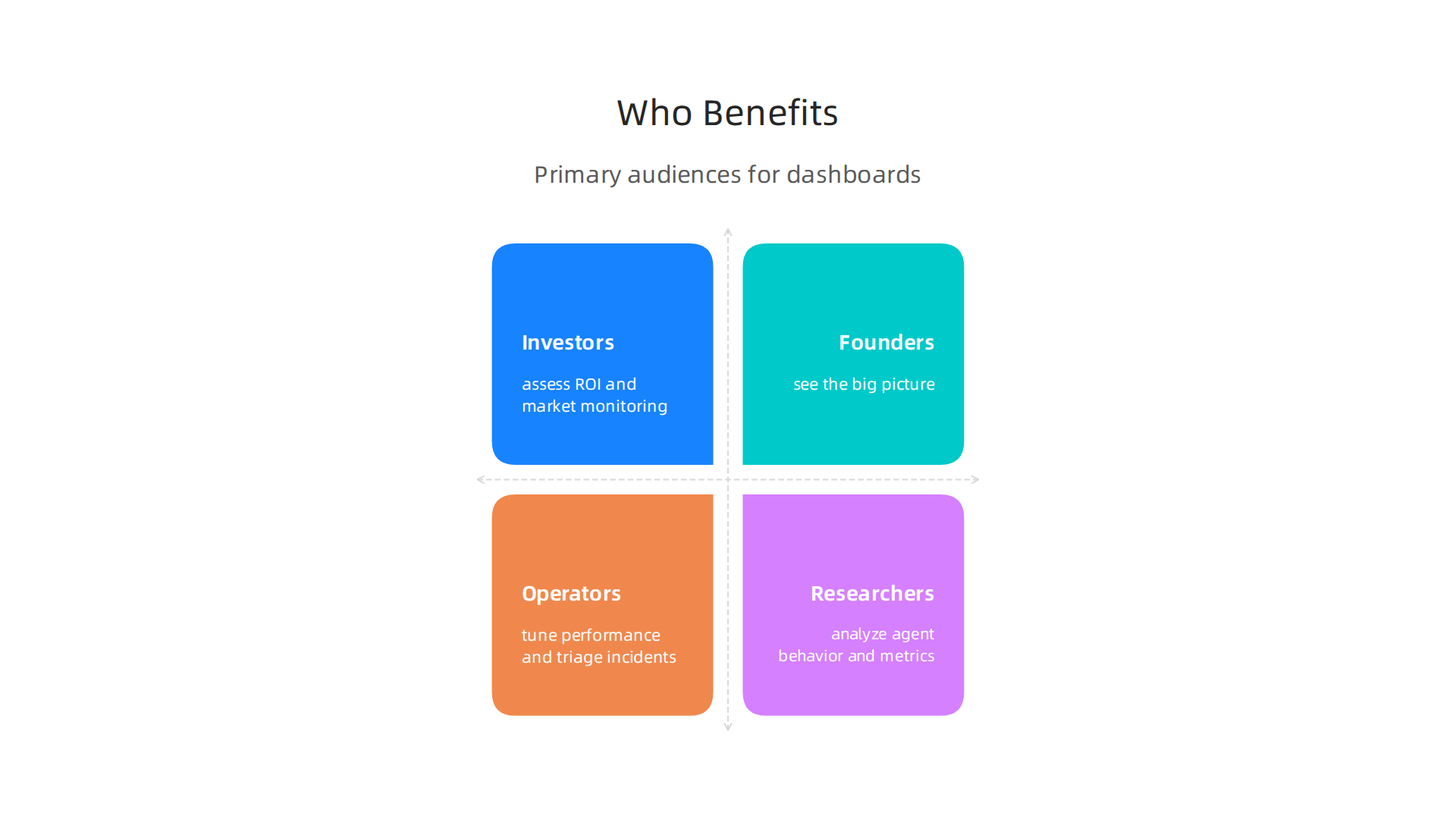
- Agent Performance Tuning: This means making AI agents work better. The dashboard shows you how fast agents are, how often they make mistakes, and if they are reaching their goals. You can see things like the success rate of tasks or how accurate the AI’s tool choices are Amazon Connect now provides eight new metrics to measure and improve AI agent performance. This helps your team make changes to improve the agents.
- Incident Triage: If an AI agent stops working right, the dashboard can quickly show you what went wrong. This helps your team fix problems much faster, so customers don’t have to wait. Dashboards show metrics like error rates and system health, helping identify issues quickly AI Agent Monitoring: Best Practices, Tools & Metrics for 2026.
- Workflow Optimization: Many AI agents work together on complex tasks, handling numerous AI jobs at once. The dashboard helps teams see if these workflows are running smoothly or if there are bottlenecks. This way, they can make the whole process more efficient. Metrics such as the percentage of runs that achieve the intended goal or the total time to complete a task are important to track AI Agent Monitoring: Dashboards, Alerts & KPIs (2026).
For Research and Enterprise Teams
Even researchers and large companies with many teams can use an AI agent dashboard for important work.
- Reproducibility Tracking: In research, it’s key to make sure experiments can be done again with the same results. The dashboard helps track how AI agents use models and prompts, making it easier to recreate past work and ensure findings are solid.
- Safety Monitoring: As AI agents become more powerful, making sure they act safely and ethically is very important. The dashboard helps monitor their actions and flag anything that looks risky. This helps teams build trustworthy AI.
- Cross-Team Collaboration: In big companies, different teams might use different AI agents. A central dashboard allows these teams to see what others are doing, share insights, and work together better. This makes sure everyone is on the same page.
No matter your role, an AI agent dashboard gives you the insights you need to understand, improve, and manage your AI systems effectively. If you want to keep up with the latest in AI and technology, consider subscribing to The AI Newsletter Worth Reading for clear daily updates.
Choosing the best AI agent dashboard is a big decision. It’s like picking the right tools for a new workshop. You need to know what features and numbers, called metrics, are most important to watch. Let’s look at what makes a great dashboard in 2026.
Key Numbers to Look For
When you check an AI agent dashboard, certain numbers tell you a lot about how well your AI agents are working.
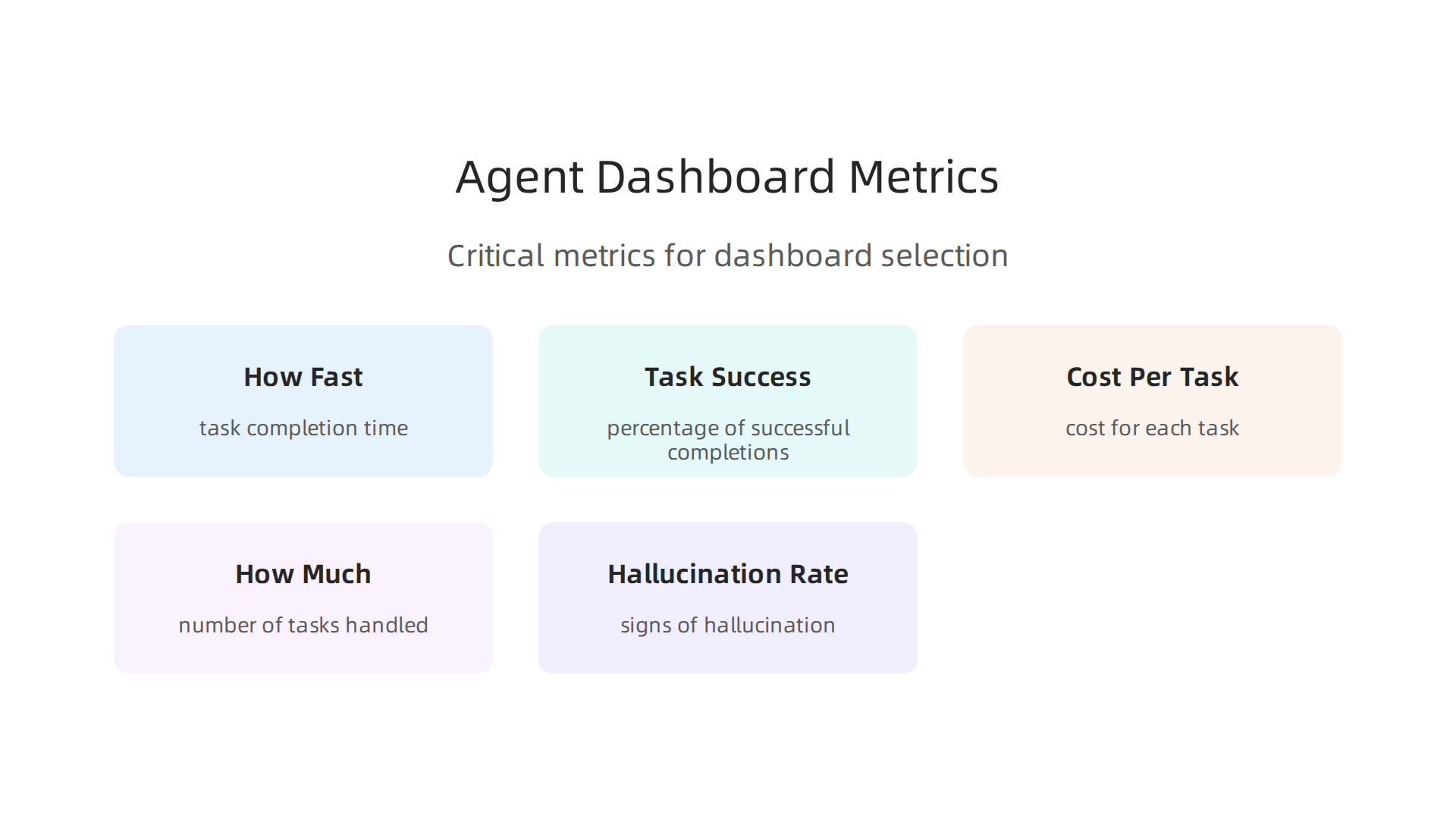
- How Fast It Is (Latency): This tells you how long it takes for an AI agent to complete a task, from start to finish. A good dashboard shows you how long most tasks take (P50) and how long even the slowest ones might take (P99). Seeing these numbers in real-time helps you know if your agents are keeping up. For example, some dashboards update latency numbers every 15 minutes to give a fresh view of performance AI Agent Analytics dashboard.
- How Often It Works (Task Success Rate): This is the percentage of times an AI agent successfully completes what it was told to do. You want this number to be high. Knowing the task success rate helps you fix problems when an agent isn’t working as it should. Many experts aim for over 85% success for agents used in real work AI Agent Monitoring: Dashboards, Alerts & KPIs (2026).
- How Much It Costs (Cost Per Task): AI agents use computing power, which costs money. A good dashboard helps you track the cost for each task or how much you’re spending each day. This is key for managing your budget, especially when you have numerous AI tasks running.
- How Much It Can Do (Throughput): This tells you how many tasks an AI agent or a group of agents can handle in a certain amount of time. It helps you see if your system can manage all the work it needs to do.
- How Often It Makes Mistakes (Hallucination Rate Proxies): AI agents can sometimes "make up" information that isn’t true. While it’s hard to measure perfectly, dashboards can look for signs of this, like how often an agent gives an answer that needs to be corrected by a human.
What Makes a Dashboard Easy to Use
Beyond the numbers, how a dashboard works for you matters a lot. These are called user experience (UX) signals.
- Quick Problem Solving (Time-to-Resolution): If an AI agent runs into a problem, how quickly can your team find and fix it using the dashboard? A good dashboard makes it easy to spot issues and figure out what went wrong, which can include metrics like error rates and system health Observability for AI Agents with Prometheus and Grafana 2026.
- Not Too Many Warnings (Alert Fatigue): A dashboard should tell you when something is truly important, not send a constant stream of unimportant alerts. Too many warnings can make people ignore them.
Important Dashboard Features to Check
When choosing an AI agent dashboard, look for these helpful features:
- Real-time Observability: This means you can see what your AI agents are doing right now, as it happens. This is very important for catching problems early. To learn more about how to check AI tools, you might want to read about how to evaluate AI tools in 2026 using the COVERS AI benchmark.
- Tracing Data (Lineage and Provenance): This feature helps you understand where the data an AI agent uses comes from and how it changes over time. It’s like having a detailed history book for every action your AI takes. This is often built using trace-span relationships to show the decisions behind metrics AI Agent Monitoring: 2026 Observability Guide – Augment Code.
- Who Sees What (Role-Based Access): Not everyone needs to see all the details. This feature lets you set different viewing rights for different people, keeping sensitive information safe.
- Tracking Changes (Prompt-Versioning): AI agents use "prompts" or instructions to do their work. This feature lets you keep track of all the different versions of prompts you’ve used, so you can see how changes affect performance.
- Testing and Rerunning (Simulation and Replay): Imagine you could test out new ideas for your AI agent or replay what happened when something went wrong. This feature allows you to do just that, helping you learn and improve without affecting live operations.
How to Choose What’s Most Important
The best way to pick an AI agent dashboard depends on who you are and where your AI agents are in their journey.

- For Investors and Leaders: If you’re an investor or a leader, you might care more about the big picture, like the overall cost per task or the task success rate across many agents. You’re looking for signs of business value and return on investment (ROI).
- For Operators and Product Teams: If you’re managing AI agents every day, you’ll want a dashboard that offers detailed, real-time insights into specific agent performance, error rates, and quick problem-solving tools. You need to tune and fix things fast.
- For New vs. Ready AI (Pilot vs. Production Stages):
- Pilot Stage: When you’re just trying out a new AI agent, you might focus on basic success rates and quickly finding errors.
- Production Stage: Once your AI agents are running for real customers, you’ll need more advanced features like cost tracking, full audit trails, and strong safety monitoring.
No matter your role, choosing the right AI agent dashboard means picking one that shows you the right information at the right time, helping you make smart choices for your AI journey.
To truly understand an AI agent dashboard and make the best choice, we need to look at how it’s built and how it talks to all the other parts of your AI system. Think of it like seeing the engine and wiring of a car after you’ve already decided what kind of car you want. This helps you know how well it will work with everything else you have.
How AI Agent Dashboards Connect
An AI agent dashboard isn’t a standalone tool. It’s part of a bigger system. Here’s a simple look at how all the pieces fit together and talk to each other.
- Agent Orchestration Layer: This is like the air traffic controller for your AI agents. It guides them, tells them what to do, and makes sure they work together smoothly. The dashboard gets a lot of its information from this layer, showing you how tasks are given out and completed. This layer is key to managing dynamic workflows, as explained in guides on Agent Orchestration & Workflow Design.
- Model Endpoints: These are where your AI models, like large language models (LLMs), live. The dashboard needs to connect to these to see how well the models are performing and if they are responding quickly. This is where the actual "thinking" of your AI happens.
- Message Buses: Imagine a highway for data. Message buses are how different parts of your AI system send quick messages to each other. The dashboard listens in on these messages to get real-time updates on agent activities.
- Observability Pipelines: This is the path for all the monitoring data. It collects things like how fast agents are, if they make mistakes, and how much they cost. This data then flows into the dashboard to give you a full picture. For a detailed look at how these data flows happen, you can check resources on learn-ai — Architecture & Data Flows.
- Storage for Traces and Artifacts: This is where the long-term records are kept. It stores detailed histories of what each AI agent did, the information it used, and any outputs it created. This helps with debugging and understanding past actions, creating what’s known as Agentic Data Environments that hold all the details.
How Dashboards Integrate with Other Systems
A good AI agent dashboard needs to connect well with your other tools.
- Telemetry Ingestion: This means the dashboard can easily take in data from many different sources that are watching your AI agents. It’s like gathering reports from various departments into one central office.
- Secrets & Key Management: AI agents often need special keys or passwords to access different services. The dashboard needs a safe way to handle these "secrets" without exposing them.
- CI/CD for Prompts and Agents: This is about how you make changes and updates to your AI agents and their instructions (prompts). A dashboard should work with your tools for testing and deploying these changes smoothly.
- Third-Party Connectors: Your business likely uses other tools, like customer service software or data analysis platforms. The dashboard should have ways to connect with these, making your numerous AI systems work together seamlessly. Understanding how AI is changing these connections can be found in discussions about how AI is transforming information technology.
Thinking About Data Rules
When dealing with AI agents, how you handle their data is super important. This is called data governance.
- Provenance: This means knowing exactly where every piece of data came from. For AI agents, it’s vital to track the origin of any information an agent uses or creates. This builds trust, as noted in the Engineering and Governing the Agent Harness guidelines.
- Traceability: Can you follow the full path of an AI agent’s decision? From the input it received to the action it took, traceability means you can see every step. This helps you understand why an agent did what it did.
- Anonymization: Sometimes, AI agents handle private customer information. Anonymization means removing any details that could identify a person, protecting their privacy.
- Retention Policies: This sets rules for how long you keep different types of data. You might keep performance data for a long time but delete sensitive customer interactions after a shorter period. These rules help keep your AI system ethical and compliant, aligning with humane technology principles for ethical AI governance.
Understanding these inner workings helps you pick an AI agent dashboard that’s not just powerful, but also fits perfectly into your existing technology and keeps your data safe.
Want to stay on top of all the latest developments in AI and machine intelligence? Make sure you’re getting the best insights.
The AI Newsletter Worth Reading
Understanding these inner workings helps you pick an AI agent dashboard that’s not just powerful, but also fits perfectly into your existing technology and keeps your data safe. Building on this idea, we must also consider how to properly manage and protect these advanced systems once they are up and running. This means thinking about clear rules for how agents work, keeping them secure, and making sure they follow all the necessary laws.
Operational Governance, Security, and Compliance for Agent Platforms
Running an AI agent dashboard and its connected systems isn’t just about making things work. It’s also about making sure they run safely and fairly. This is where operational governance, security, and compliance come in. They are like the guardrails, locks, and rulebooks for your intelligent agents.
Key Governance Controls for AI Agents
For any system using numerous AI agents, having clear rules is a must.
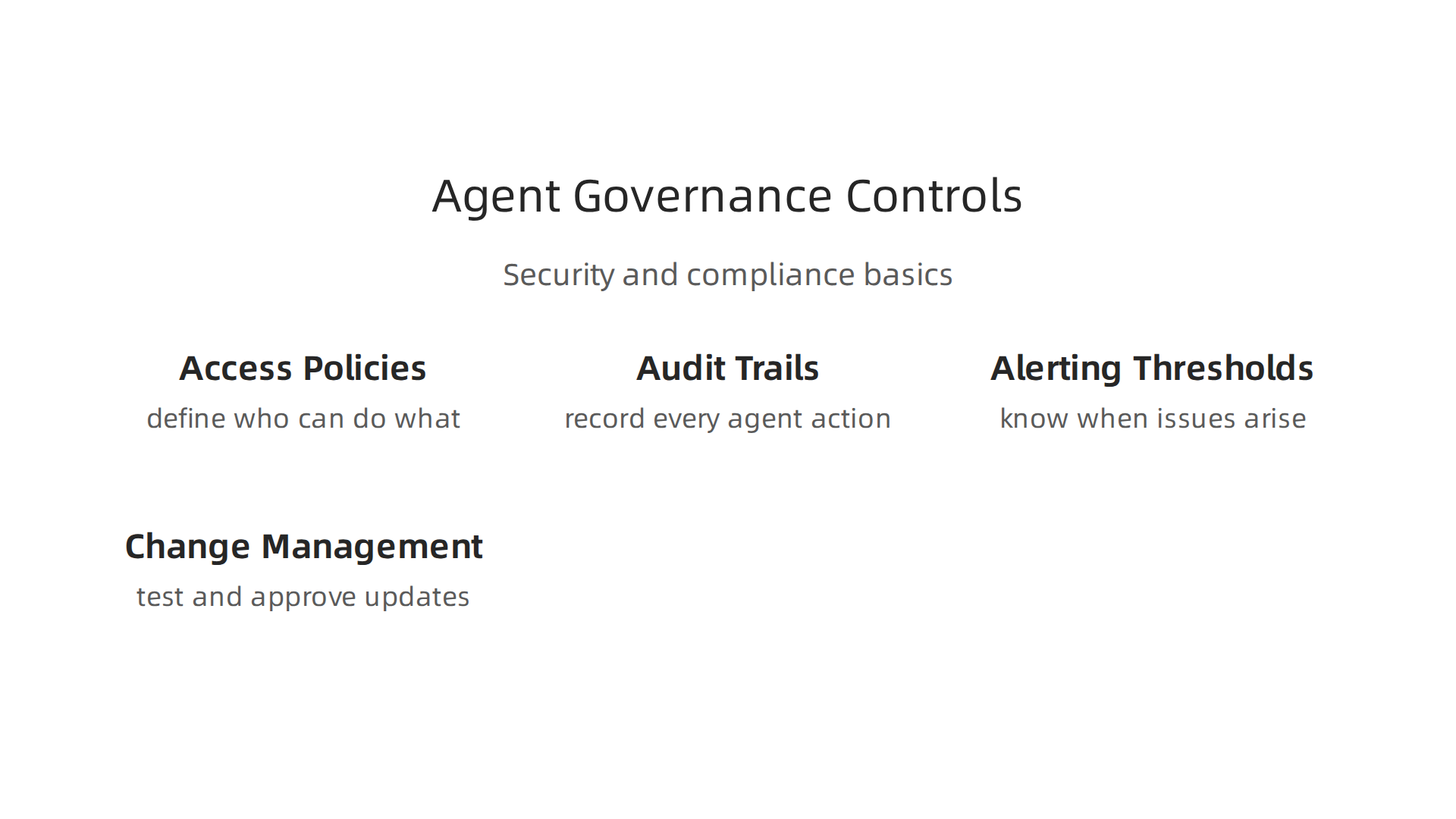
- Access Policies: Only the right people should be able to make changes to your AI agents or see sensitive data. Access policies define who can do what. A strong policy and governance context is crucial for managing user identities and permissions within an AI system, as highlighted in some architectural frameworks.
- Audit Trails: Every action an AI agent takes needs to be recorded. Think of it as a detailed logbook. This record helps you understand what happened if something goes wrong, and it’s essential for showing how your AI operates. These logs should be tamper-proof and include details like the agent’s identity, the trigger, and every tool call it makes to ensure full transparency and accountability, as noted by experts in AI audit trails and in guides on agent action audit trails. Good audit trails are a key part of any enterprise AI strategy and are outlined in frameworks for AI governance at scale.
- Alerting Thresholds: You need to know when things are not going as planned. Setting up alerts means you get a warning if an agent acts strangely, uses too many resources, or makes too many mistakes. This helps you catch issues quickly. Learning how to build agentic systems includes understanding how to set up metrics and alerts to keep an eye on performance.
- Change Management for Prompts and Agents: The instructions you give to your AI agents (prompts) will change over time. How you manage these changes is important. There should be a clear process for testing new prompts or updating agent behaviors before they go live. This helps avoid unexpected problems.
Keeping Your AI Secure
Security for AI agents has special challenges beyond typical software.
- Credential Management: AI agents often need access to other systems, like databases or customer service tools. Keeping these "keys" (credentials) safe is vital. A secure AI agent dashboard will offer ways to manage these securely, preventing data leaks.
- Model Poisoning Risks: Bad actors might try to trick your AI model into learning wrong things. This is called model poisoning. It’s like feeding a student false information on purpose. You need ways to protect your AI models from such attacks, ensuring your agents continue to
learnfast aiand correctly. - Safe-Failures: What happens if an AI agent can’t complete its task or encounters something it doesn’t understand? It should "fail safely," meaning it stops working without causing bigger problems. It might ask for human help or revert to a known good state. This is part of engineering and governing the overall system surrounding the AI.
- Data Leakage Mitigations: AI agents handle a lot of data. You must have systems in place to prevent private information from accidentally getting out. This ties back to anonymization and careful handling of sensitive data. It also means building ethical and transparent AI, a topic explored further in discussions about how to build ethical and transparent AI for humans.
Meeting Compliance and Regulatory Requirements
In 2026, rules about AI are becoming stricter. Your AI agent dashboard and platform must help you meet these rules.
- Data Residency: Some laws require certain data to stay in specific countries or regions. You need to know where your AI agents process and store data.
- GDPR/CCPA Implications: Laws like GDPR (Europe) and CCPA (California) protect people’s private data. If your AI agents handle personal information, you must make sure they follow these rules. This includes tracking data access and handling user consent. Using an AI agent dashboard that helps manage these privacy concerns is key. More details on navigating data privacy can be found in discussions about AI sentiment analysis ethics.
- Evidence Needed for Audits: Regulators might ask to see how your AI system works and how you protect data. Strong audit trails and clear records are your evidence. These records must be detailed and comprehensive, covering every interaction and decision. Compliance guides emphasize the need for specific audit log elements for standards like SOC 2, HIPAA, and GDPR, as discussed in detail by experts providing AI audit trails for compliance. Organizations should also review general recommendations on AI audits.
By thoughtfully putting these controls and practices in place, businesses can ensure their AI agent platforms are not only powerful but also trustworthy, secure, and compliant with laws and ethical standards. This holistic view helps to safely spark ai innovation while minimizing risks.
Once you understand how to keep your AI agents safe and follow the rules, the next big step is picking the right ai agent dashboard and bringing it into your company. This isn’t just about finding a tool; it’s about making sure it truly helps your team work better and smarter. We need a good plan for picking one, testing it out, and then helping everyone learn to use it.
How to Pick the Best AI Agent Dashboard
Choosing an ai agent dashboard means looking closely at what each one offers. Think of it like making a shopping list for a very important tool. Here’s what to look for when you choose the right AI platforms for business growth in 2026:
- What You Need It to Do: First, list all the tasks your AI agents will handle. Does the dashboard support these needs? Can it manage
numerous AIagents doing different jobs? - Connects with Your Tools: An ai agent dashboard should work well with the other software your company already uses. If it doesn’t connect easily, it can cause problems, especially when dealing with older systems that might slow down new technology.
- Keeping Things Safe: This is super important. How well does the dashboard protect your data and prevent bad actors from messing with your AI? This links back to the security talks we had earlier.
- Help When You Need It: What kind of support does the company offer? Look at their Service Level Agreement (SLA) to know how quickly they fix problems or answer questions.
- Clear Pricing: Make sure you understand all the costs upfront. There should be no hidden fees.
Running a Pilot and Rolling It Out
Before everyone in the company starts using a new ai agent dashboard, it’s smart to try it out with a small group first. This is called a pilot program. It helps you iron out any issues.
- What Does Success Look Like? Before starting, decide what "success" means. Do you want agents to finish tasks faster? Reduce mistakes? Set clear goals for your pilot.
- Gathering Information: During the pilot, collect data to see if your goals are being met.

Is the dashboard actually making things better?
- Getting Everyone on Board: Talk to the people who will use the dashboard. Make sure they understand why it’s being brought in and how it will help them. This makes it easier for them to accept the change.
- Training and Support: Provide good training so everyone knows how to use the new system. Also, have support ready for questions or problems.
- Managing Change: Bringing in a new tool can be tough. Have a plan to help people adjust and learn new ways of working. This helps
spark aiinnovation without causing too much disruption.
Showing the Impact and Value
It’s not enough to just use an ai agent dashboard; you need to show that it’s worth the investment. This means measuring its impact.
- The Starting Line: Before you launch, measure how things are done now. This gives you a baseline to compare against.
- Trying Different Ways: You might roll out the dashboard in stages or try A/B testing. This means some teams use the new system, while others stick to the old way for a short time. This helps you clearly see the benefits.
- Reporting to Leaders: Company leaders want to know if the new AI system is giving a good return on investment (ROI). In 2026, many organizations report measurable returns from AI investments. Some companies running three or more AI agent workflows have seen median first-year net savings above $4 million, according to the State of Agentic AI in the Enterprise 2026 report. You’ll need to share easy-to-understand reports showing how the ai agent dashboard is saving time, cutting costs, or improving work. Tools like Oracle’s Business Value Dashboard can even help show the estimated ROI for your AI agents.
Keeping up with the latest AI trends and insights is key to making smart choices about your technology. Get clear daily AI updates from The AI Newsletter Worth Reading.
Summary
This article explains what an AI agent dashboard is, why teams need one, and how to choose, build and operate it effectively. It defines the dashboard’s core components—agent lifecycle, task orchestration, model & prompt management, observability and role-based access—and shows how these pieces connect to orchestration engines, model endpoints, message buses and storage. The guide covers the most important metrics to track (latency, task success, cost per task, throughput and hallucination proxies), UX signals that matter, and practical features like tracing, prompt-versioning and replay. It also explains operational governance, security risks (credential management, model poisoning, safe-failures), and regulatory basics such as data residency and audit trails. Finally, the article gives practical advice on selecting a dashboard, running a pilot, training teams, and measuring ROI so organizations can deploy agent platforms safely and prove their business value.